
TL;DR: Schema markup is structured data that helps search engines understand the content on your website. It can make search results more informative with elements such as product images, reviews and opening hours. Use JSON-LD, as recommended by Google: Choose a relevant schema type, generate the code, add it to the page, and check it with Google's Rich Results Test.
Schema markup is an important component of modern SEO. You should always make it as easy as possible for visitors to understand your content, but especially for search engines too. That makes speaking the same language essential. This is exactly where schema markup is your best friend. Using structured data and code, you guide search engines towards understanding your pages and content elements. We walk you through what schema markup is and how to implement it on your website.
What is Schema Markup?
Schema markup, also known as structured data, can be added to your website. This form of structured data helps search engines understand the specific context of content, such as product pages, reviews, events and much more. Although search engines are extremely advanced and have become much better at understanding content over time, they still need a helping hand. They do not have eyes. If you read a list of concerts, you will quickly understand that it is an event programme — a search engine will not. They need to be told, for example through schema markup.
Take up more space in search results with Schema Markup
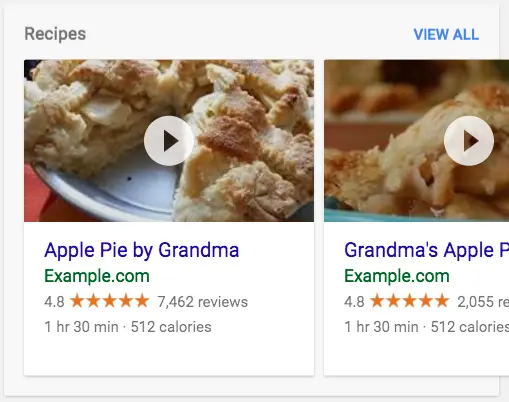
One of the biggest benefits of using schema markup is that it can enrich your search results with more information, which can lead to higher click-through rates. Rich snippets, which can be generated using these code snippets, can display extra details such as product images, star ratings and opening hours in search results. This means your page can stand out from competitors and attract more attention from users, even if you are not necessarily ranked number one on Google.
Example of how schema markup looks in the SERP (search results):
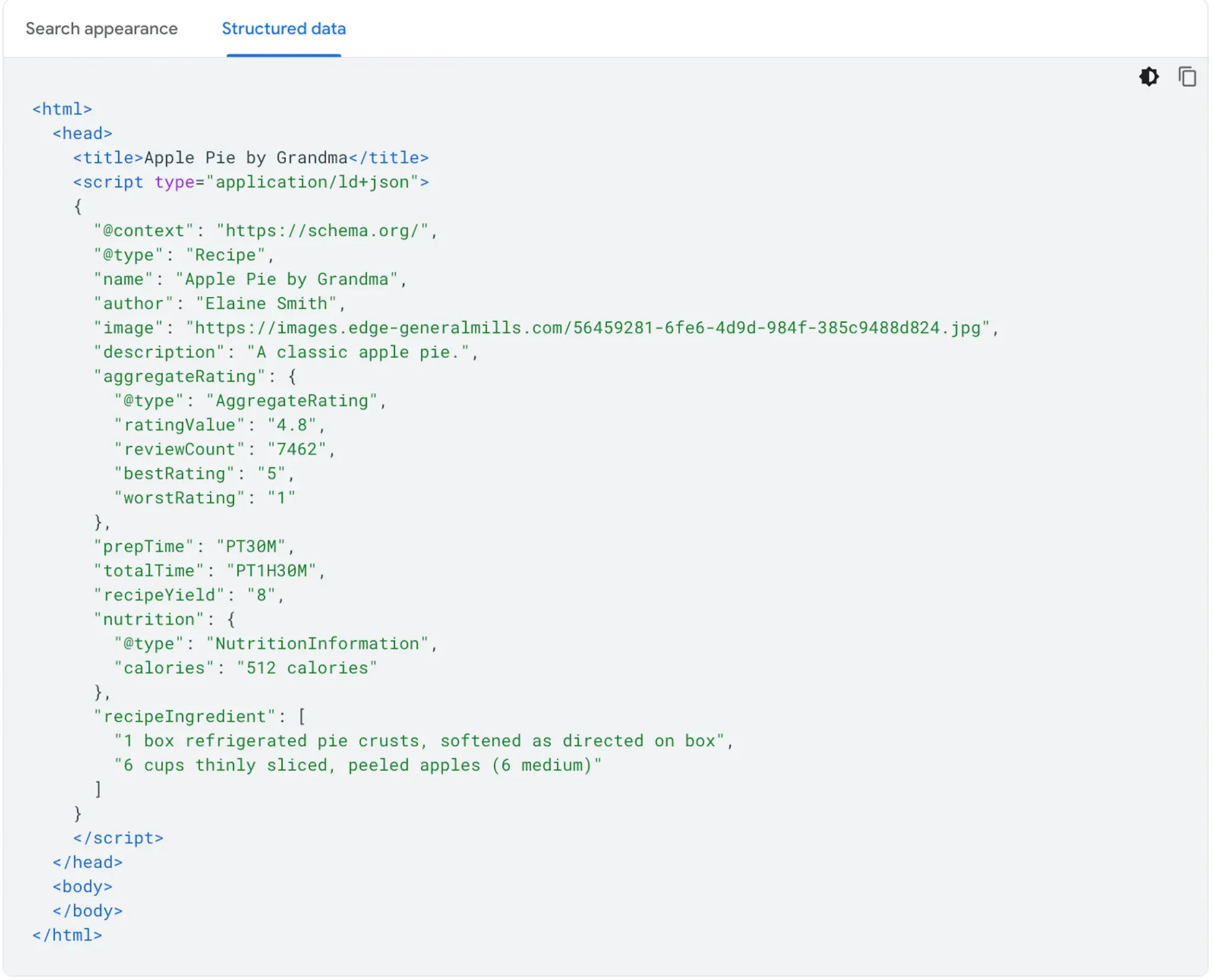
Example of what schema markup looks like as code:
Should I use JSON-LD, microdata or RDFa?
When it comes to implementing schema markup, you have three standard options: JSON-LD, microdata and RDFa. Of these three formats, Google itself recommends using JSON-LD. That is why we also recommend using this format for your structured data.
JSON-LD (JavaScript Object Notation for Linked Data) is a method of embedding structured data directly in script tags in HTML. This format is non-invasive and makes it easier to add and maintain schema markup without changing the HTML structure itself.
Microdata and RDFa are more invasive, as they require you to add extra attributes directly to your HTML tags. JSON-LD, on the other hand, keeps things neatly separated from your HTML code, making it the preferred choice for most developers and SEO specialists
How to add Schema Markup to your website
If you want to add schema markup to your website, there are several ways to do it, depending on your technical skills and the platform your website is built on. Here are some basic steps for implementing your structured data.
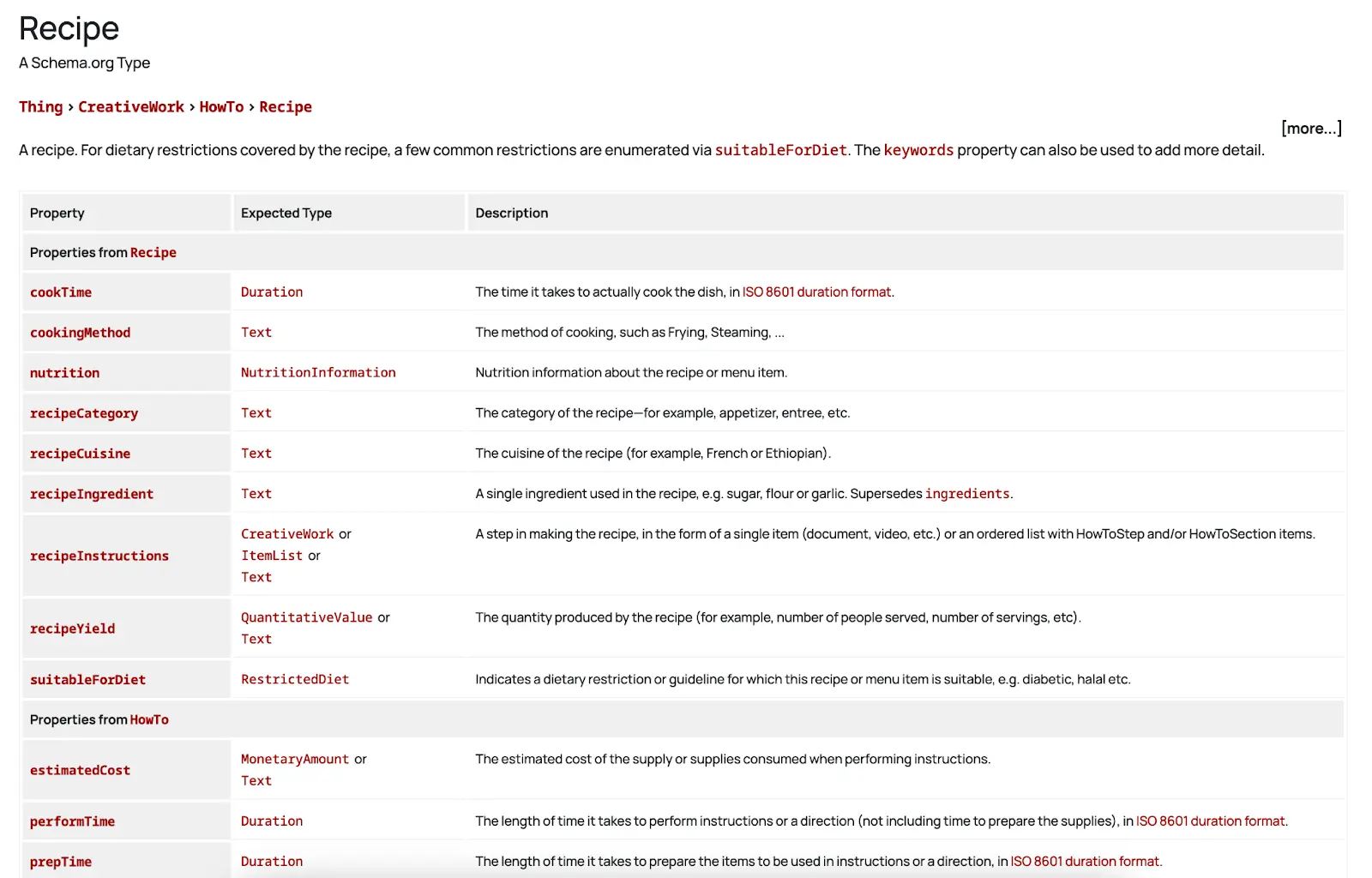
1. Choose the relevant schema type: Go to Schema.org to find the schema type that best suits the content you want to mark up. We will use a recipe as our example.
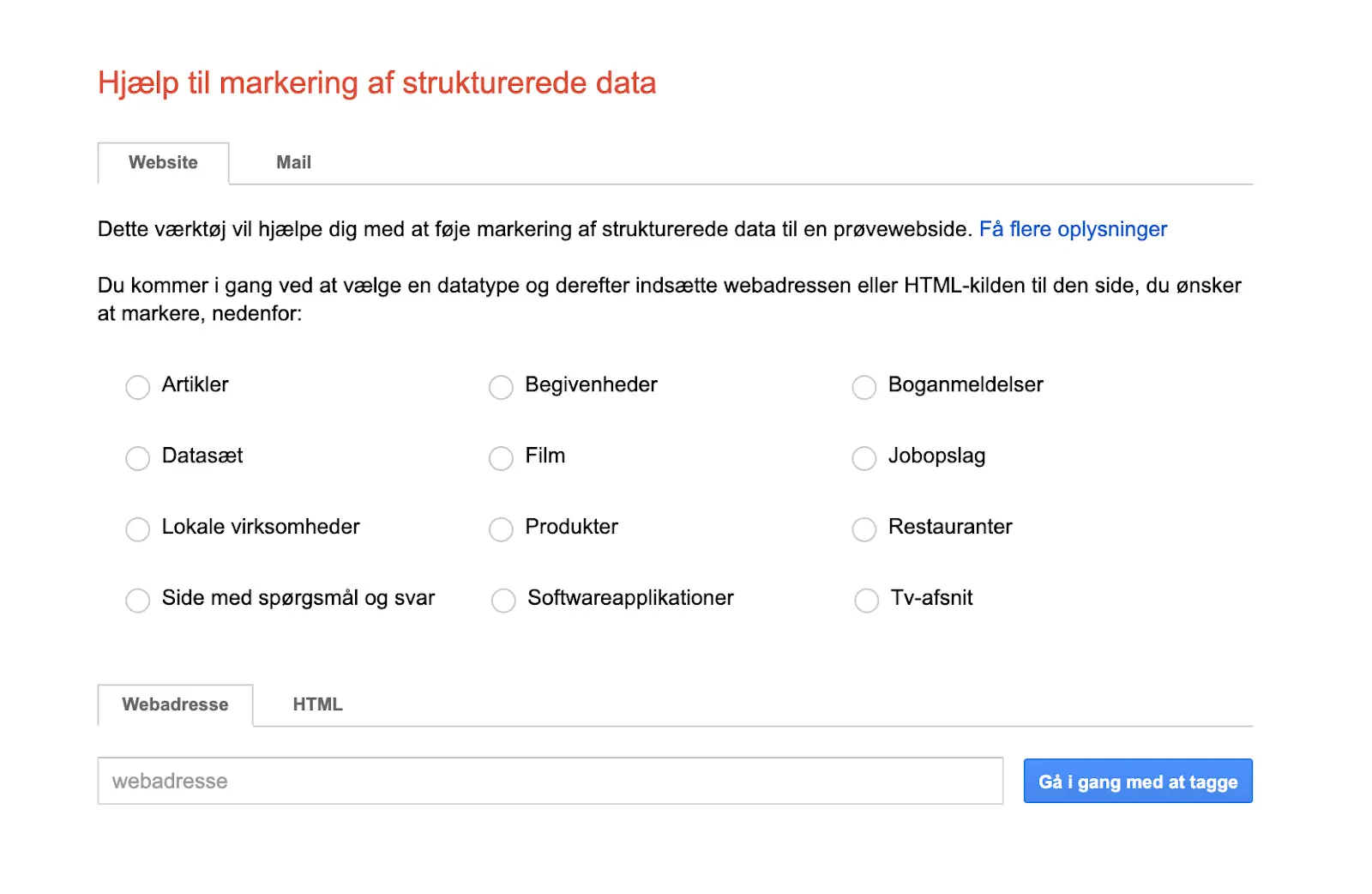
2. Generate JSON-LD code: Use a generator such as Google's Structured Data Markup Helper to generate your JSON-LD code.
3. Insert the code into your HTML: Place the JSON-LD script in the <head> or <body> section of the page containing the data. Various plugins can also be used, depending on the platform your website is built on.
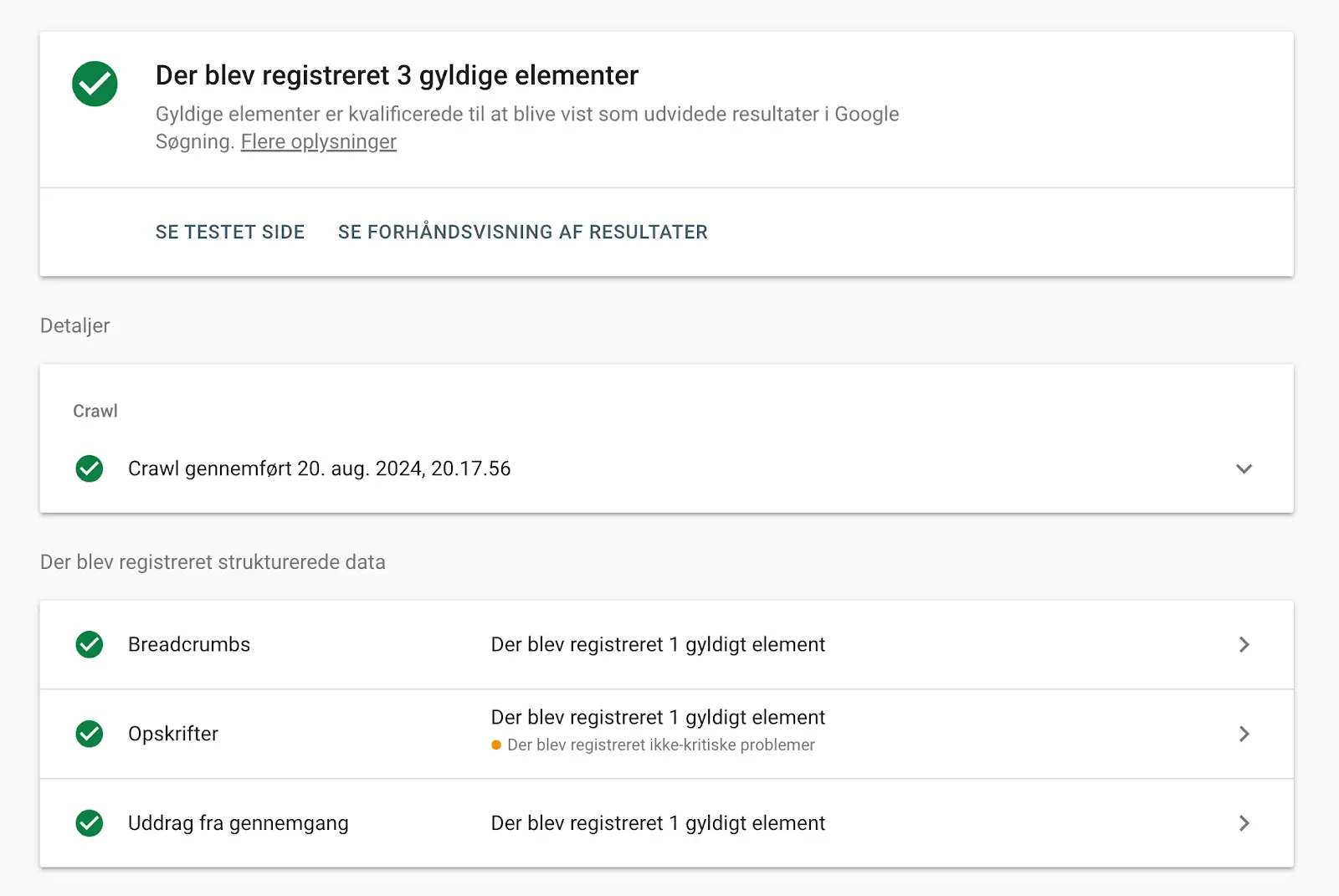
4. Test the code: Use Google's Rich Results Test to ensure that your schema markup is implemented correctly. It might look like this, for example:
We are happy to help you implement schema markup correctly
We know that implementing schema markup correctly can often be time-consuming and technical, so we always offer help and guidance with this. Feel free to get in touch if you want to take up more space in search results and achieve the rich snippets we all find hard not to click on. With structured data, you help search engines understand your content even better.
Free SEO analysis
Written by
Frederik Krøl Larsen
SEO Specialist & Partner
Frederik is an SEO specialist and partner at acend, helping businesses gain visibility in organic search results through technical SEO, content and structured data.